![GTA-Full-white-logo-wo-strapline-RGB.png]](https://www.gta.net/hs-fs/hubfs/Logos/GTA-Full-white-logo-wo-strapline-RGB.png?height=40&name=GTA-Full-white-logo-wo-strapline-RGB.png)
First Time Registration for myGTA?
Not a problem! Here's what you'll need to get started.
1. Have your most recent billing statement readily available. For first time registration, you will need your Invoice Number and Amount Due. 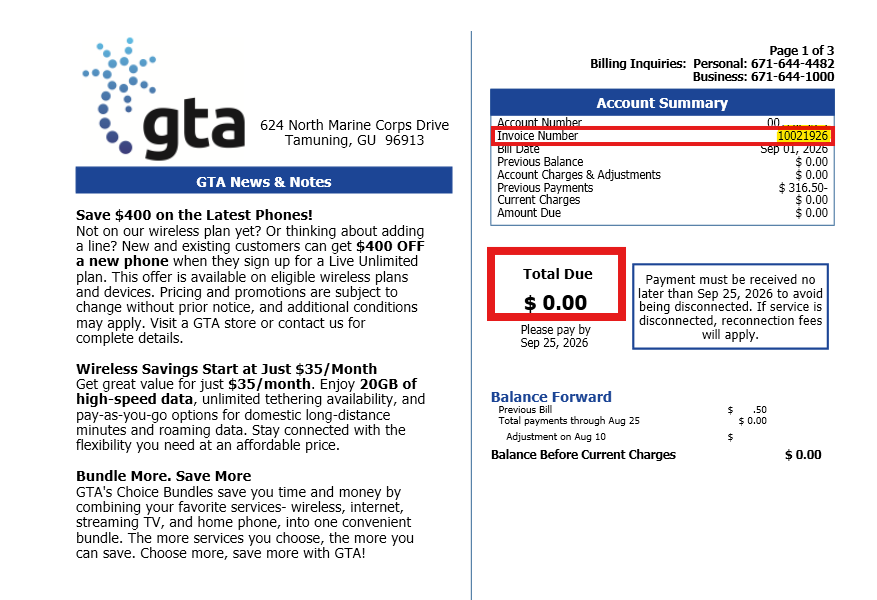
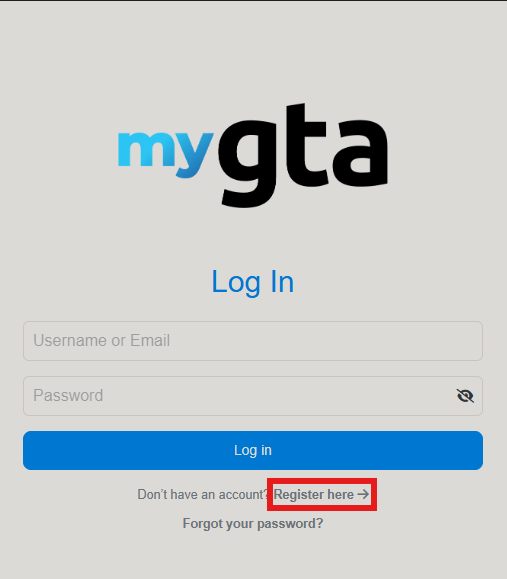
2. Access myGTA web portal to begin the registration process.
3. Select "Register here".
4. Provide your Invoice Number and Amount Due.
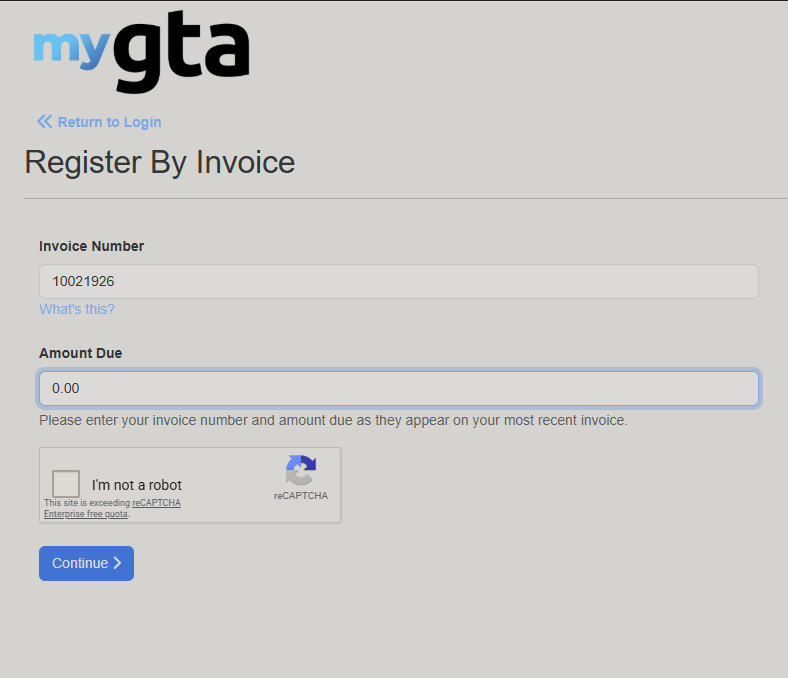
5. Once confirmed and completed, check the box to confirm "I'm not a robot". Then click "Continue".
- You'll be redirected to the Registration page.
6. Enter your new login and security information.
- Email Address
- Password
- Confirm Password
- Security Question
- Security Answer
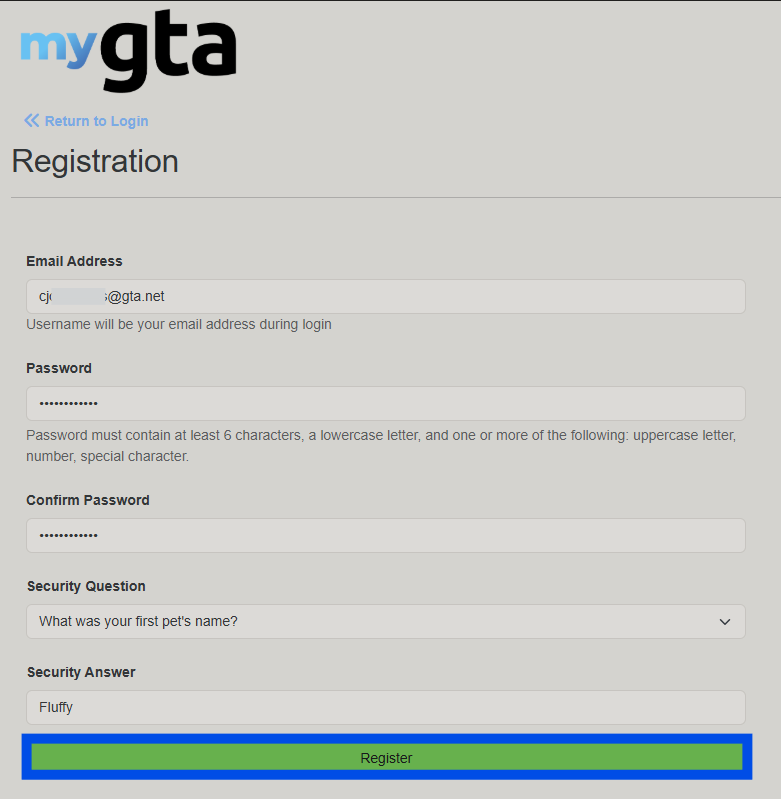
7. Once completed and confirmed, select "Register". 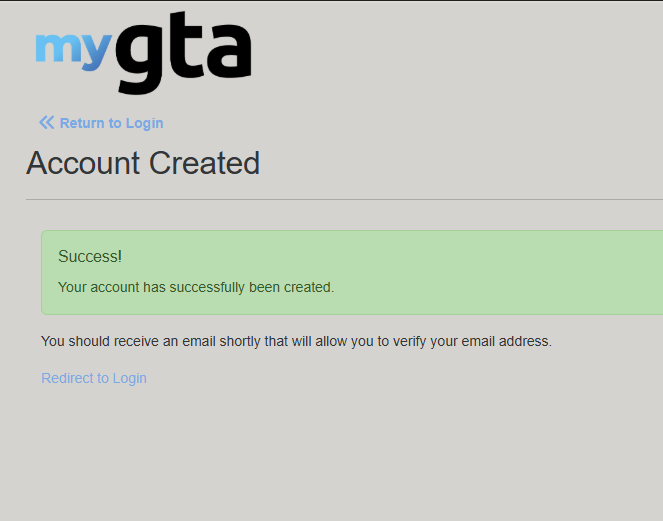
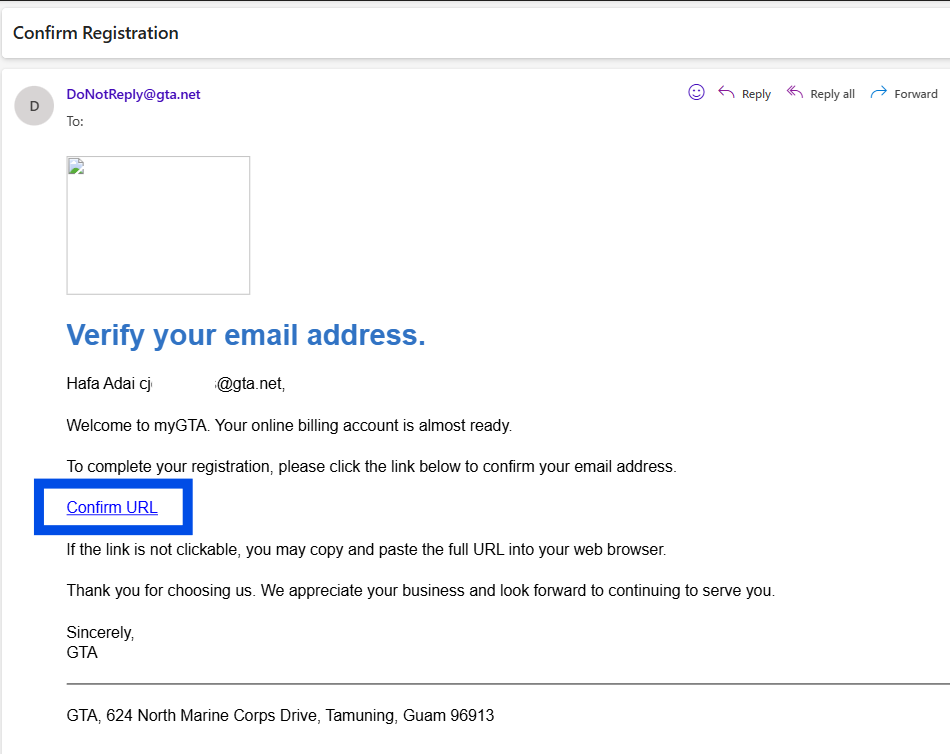
8. After successfully registering, you will need to confirm your registration by accessing the email address used for login credentials. An email will be automatically sent from DoNotReply@gta.net. Use the provided link to confirm your new registration.